What Are Beat Stems? Why Trackouts Matter for Artists
Getting your music onto major streaming networks like Spotify and Apple Music is easier than ever, but an unexpected metadata error can completely derail your release week. From choosing the right digital distributor to registering your tracking codes and setting up an ideal promotional runway, your distribution strategy needs to be flawless. This step-by-step blueprint shows you how to correctly upload your music, navigate release windows, and prepare your rollout to capture algorithmic momentum from day one.
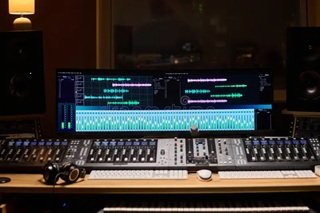
What Are Beat Stems? Why Trackout Files Are Essential for a Radio-Ready Mix
In independent music production, achieving a clean, professional sound is an ongoing journey. You spend hours writing the perfect bars, fine-tuning your vocal delivery, and finding an instrumental that perfectly matches your emotional energy. However, once the recording session wraps up, many artists hit a major roadblock during the post-production stage.
The track simply doesn’t sound like the hits on major streaming playlists. Often, the culprit isn’t your performance or your microphone—it’s how the instrumental audio files were handled during the mixing process.
The Trap of Recording Over a Single Audio File
When you buy a basic beat lease online, you typically receive a single, consolidated stereo file—either an MP3 or a WAV. While these formats are excellent for writing, rehearsing, or cutting rough demos, they present a massive obstacle for mixing engineers.
Imagine trying to bake a cake when all the ingredients have already been mixed and baked together. If the bass in the beat is masking your vocal clarity, or if the snare drum is hitting too loudly, an engineer cannot simply turn down just the bass or just the snare. They have to adjust the volume or EQ of the entire instrumental, which inevitably compromises the overall quality of your track.
What Are Beat Stems and Trackouts?
To solve this problem, producers offer trackout files, commonly referred to as beat stems. In professional audio terminology, a trackout or stem layout means that every individual instrument used to build the beat is separated into its own independent audio file.
When you download a trackout license, you don’t just get one file; you get a folder containing multiple individual WAV tracks, such as:
The kick drum
The 808 bassline
The main snare or clap
The hi-hats and percussion loops
The main melody synth or guitar chords
Background vocal chops and sound effects
Why Your Mixing Engineer Specifically Needs Stems
Giving your mixing engineer access to individual trackouts changes the entire dynamic of your studio session. It provides total creative control over how your vocals interact with the production.
First, it allows for precise frequency balancing. If your voice sits in the same mid-range frequency as the main melody piano, your engineer can gently carve out space only within the piano track, leaving your vocals completely clear without making the rest of the instrumental sound thin.
Second, it opens the door for dynamic panning and arrangement changes. Want the instruments to drop out completely during a specific line of your verse? Or want the hi-hats to pan from left to right during the pre-chorus? With trackouts, these creative choices are entirely possible, allowing you to customize the instrumental around your performance.
Investing in the Right Tier for Your Release Strategy
Choosing between a basic lease and a trackout option completely depends on your budget and where you are in your career. If you are simply releasing a quick freestyle on social media or a rough track for your core fanbase, a standard stereo WAV file might suffice.
However, if you are planning a commercial rollout, shooting a high-budget music video, pitching to editorial streaming playlists, or distributing your music to major platforms, investing in trackouts is a necessity. It ensures that your final master has the headroom, clarity, and competitive loudness required to stand alongside major-label releases.
Achieve Radio Quality with Prod By DSG
When you are ready to take your sonic presence seriously, your production choices must reflect that standard. The premium instrumentals crafted by Prod By DSG are mixed with vocal placement in mind from day one, but utilizing individual stems unlocks their ultimate potential.
By securing a trackout license for your next single, you hand your engineer the raw ingredients needed to build a massive, hard-hitting mix that does absolute justice to your lyricism.
Elevate Your Next Studio Session
Take a look at your current project pipeline and determine if your mixes are getting the space they deserve. You can browse our active store catalog to find premium rap, hip-hop, and melodic trap backings, all available with comprehensive trackout licensing options. If you’re planning a major upcoming release and want to discuss custom stem arrangements or bundled licensing packages, feel free to reach out so we can prepare your files for a flawless studio rollout.
Frequently Asked Questions About Beat Stems
Q: Is there a difference between a “trackout” and a “stem”? A: In standard online beat store terms, they are used interchangeably to describe getting the individual instrument layers. Technically, a trackout is every single individual track (e.g., just the kick drum), while a stem can be a grouped category (e.g., all drum tracks combined into one file). Most store licenses deliver full trackouts.
Q: Are beat stems delivered as MP3 or WAV files? A: Professional beat stems are always delivered as high-quality, uncompressed WAV files. This ensures that no audio quality or frequency data is lost, giving your engineer the cleanest possible source material to mix with.
Q: Do I need special software to open a trackout folder? A: No. The trackout folder contains standard audio tracks that can be imported directly into any Digital Audio Workstation (DAW) including Pro Tools, FL Studio, Logic Pro, Cubase, or GarageBand.